Commissioner's Guide
Everything you need to run a great league.
Your Role as Commissioner
The commissioner is the league's admin. You set the scoring rules, invite players, and handle any management decisions during the season. Pigskin Pick'em automates the rest — scheduling, score syncing, and standings updates happen without you doing a thing.
Step 1 — Configure Your League Settings
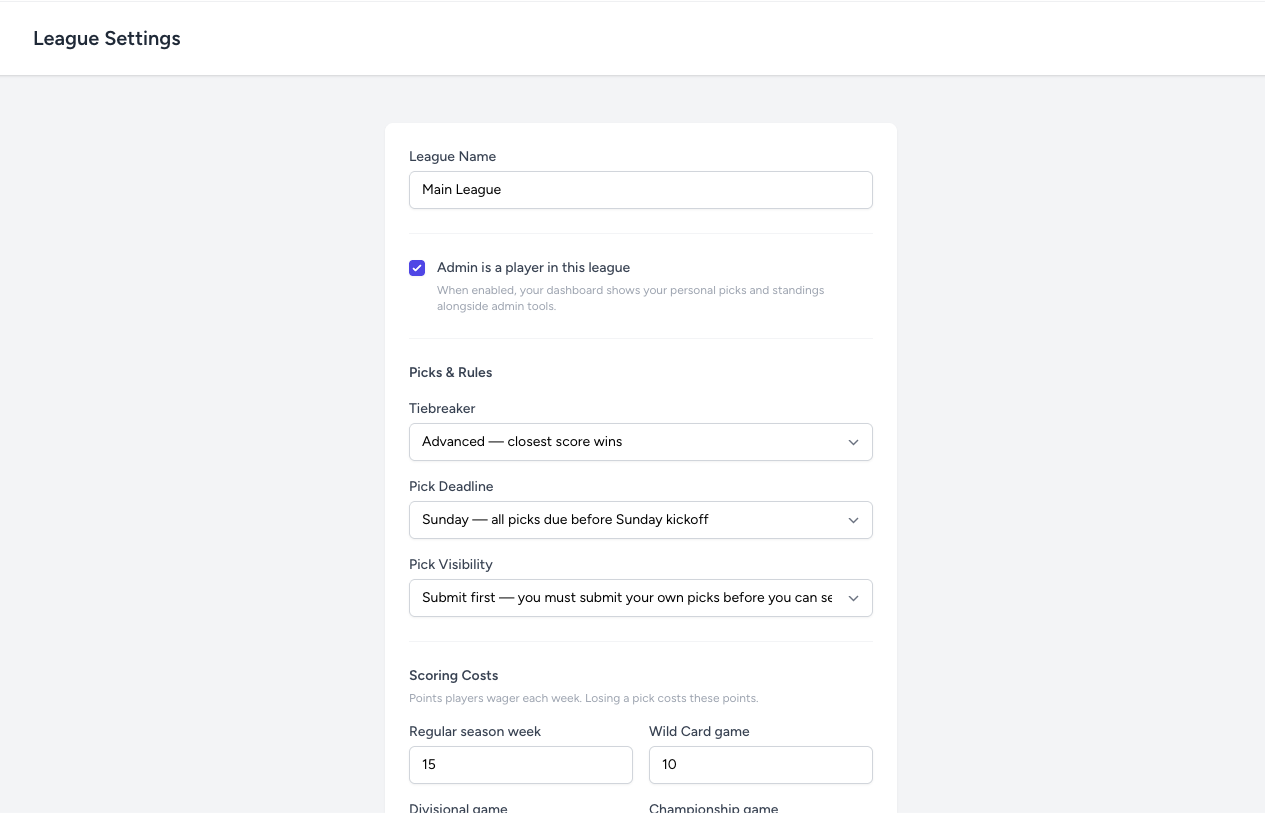
Before inviting players, head to Admin → League Settings to configure your league. Key decisions you'll make here:
- Weekly points values (regular season and playoffs)
- Entry mode (season commitment vs. week-by-week)
- Tiebreaker rules
- Pick deadline and visibility
All settings — including your league name — can be changed at any time from this page. That said, it's best to settle on scoring rules before the season starts so players know what they're signing up for.
How the Tiebreaker Works
When two or more players finish a week with the same number of correct picks, a tiebreaker is used to determine the winner. The tiebreaker game is always the last Monday Night Football game of that week. Each player picks the winner of that game and predicts the combined final score (total points scored by both teams).
The tiebreaker resolves in order:
- Whoever picked the correct winning team advances. If still tied, go to the score prediction.
- Whoever's score prediction is closest to the actual combined score wins.
The difference between Standard and Advanced only matters in step 2, and only when two players are equidistant from the actual score — one went over, one went under:
For most leagues, Standard is the right choice — it rewards conservative predictions and matches the intuition most players already have. Choose None if you'd rather split the pot whenever players tie instead of using a tiebreaker game at all.
Step 2 — Invite Players
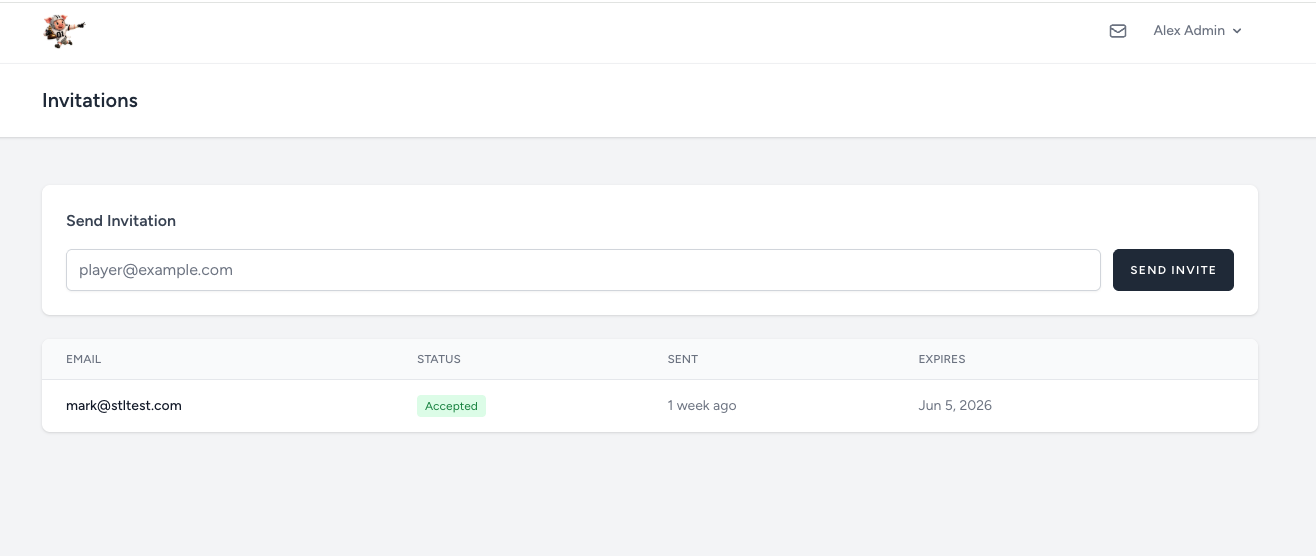
Go to Admin → Invitations and enter the email addresses of players you want to invite. Each person receives a unique invite link. When they click it, they'll be prompted to create an account and will be added to your league automatically.
You can send invitations at any time — mid-season is fine if you want to add someone late. They'll simply start earning points from whatever week they join.
Managing Players
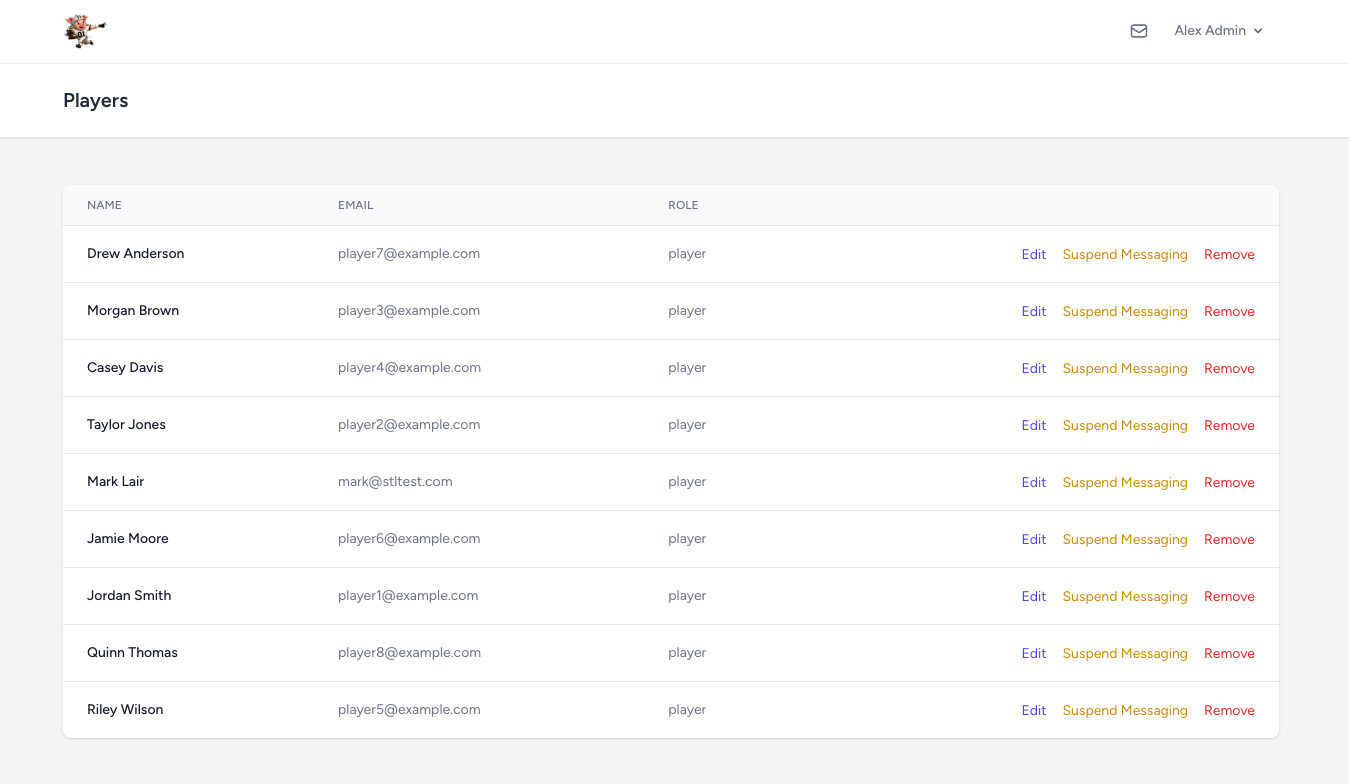
Under Admin → Players you can see everyone in your league with three actions available for each player:
- Edit — update a player's name, email address, or phone number. Useful if someone signed up with a typo or needs their contact info corrected.
- Suspend / Restore Messaging — prevents a player from sending messages in the league chat and direct messages without removing them from the league. Their picks and standings are unaffected. Use this if someone is being disruptive in chat. You can restore messaging at any time.
- Remove — removes the player from your league. They can no longer submit picks or appear in standings, but their account still exists — they are simply no longer part of your league. This cannot be undone from the admin panel; you would need to re-invite them to add them back.
During the Season
Once the season starts, Pigskin Pick'em runs itself. Schedules are loaded, scores are synced, and standings update automatically as games finish. Your job during the season is mainly:
- Fielding questions from players
- Sending reminders to get picks in before Thursday Night Football
- Enjoying the trash talk on the leaderboard
Billing & Subscription
Your subscription covers the whole season. If you need to add more players beyond your plan's limit, go to Billing → Manage to purchase add-on seats or upgrade to a larger plan. Billing is prorated — you only pay for what's left in your subscription period.